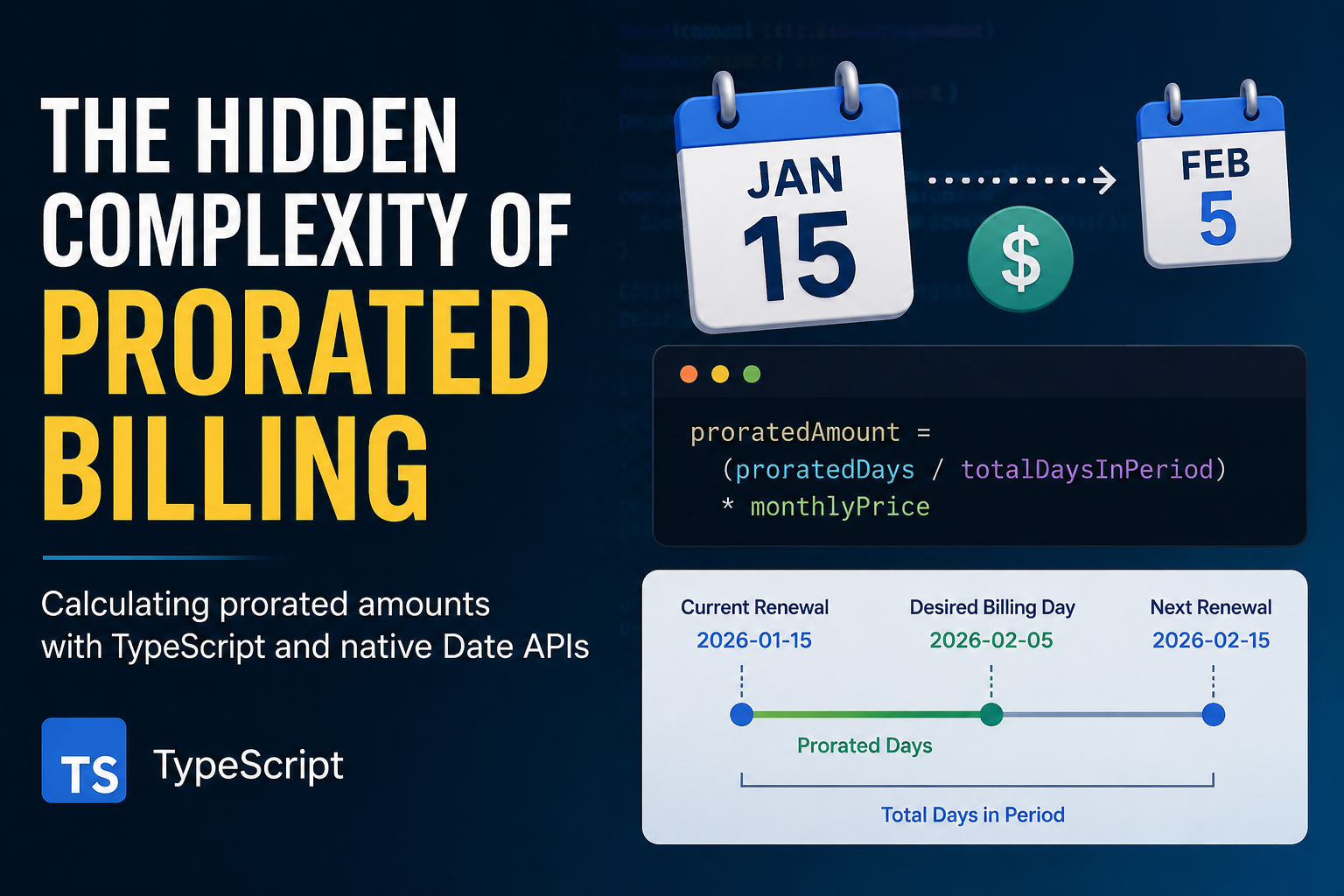
The Hidden Complexity of Prorated Billing
Prorated billing is a common requirement in subscription systems.
Given:
nextRenewalDate: string
desiredBillingDay: number
monthlyPrice: number
The goal is to calculate the amount that should be charged when a customer changes their billing date. Consider the following example:
nextRenewalDate: "2026-01-15"
desiredBillingDay: 5
monthlyPrice: 100
A straightforward approach is:
- Calculate the number of days in the current billing period.
- Calculate the number of days between the current renewal date and the desired billing date.
- Use the ratio between those values to determine the prorated amount.
The formula looks like:
proratedAmount =
  (proratedDays / totalDaysInPeriod) * monthlyPrice
The challenge is determining the day differences correctly without relying on external libraries.
Using Timestamps
JavaScript’s Date object provides a useful method:
date.getTime()getTime() returns the number of milliseconds elapsed since January 1st, 1970 (Unix Epoch).
Once all dates are converted into timestamps, calculating day differences becomes much simpler:
- Get the timestamp of the current renewal date.
- Get the timestamp of the next renewal date.
- Get the timestamp of the desired billing date.
- Calculate the differences between timestamps.
- Convert milliseconds into days.
- Calculate the prorated ratio.
- Multiply by the monthly price.
Version 1
The first implementation looked like this:
/*
 * Complete the 'calculateProratedAmount' function below.
 *
 * The function is expected to return an string.
 */

function calculateProratedAmount(nextRenewalDate: string, desiredBillingDay: number, monthlyPrice: number): string {
    let totalDayOfMonth = 0;
    const miliseconds = (60 * 60 * 24 * 1000)
    const [year, month, day] = nextRenewalDate.split("-")
    const monthNum = Number(month)

    const startTime = new Date(nextRenewalDate).getTime()
    const nextMonthNumber = (monthNum >= 12 ? 1 : monthNum + 1)
    let correctMonthStr = nextMonthNumber > 9 ? nextMonthNumber + "" : "0" + nextMonthNumber
    const endTime = new Date(`${year}-${correctMonthStr}-${day}`).getTime()
    const gap = endTime - startTime;
    totalDayOfMonth = gap / miliseconds

    const protatedTime = new Date(`${year}-${correctMonthStr}-${desiredBillingDay > 9 ? desiredBillingDay : "0" + desiredBillingDay}`).getTime()
    const protatedDate = (protatedTime - startTime) / miliseconds;
    return String(Number(((protatedDate / totalDayOfMonth) * 100) % 100).toFixed(2))
}
The implementation works for simple scenarios and demonstrates the core idea of using timestamps to calculate billing periods.
However, after reviewing the solution, several issues become apparent.
Problems in Version 1
Hardcoded Monthly Price
The function receives a monthlyPrice parameter but does not use it.
((protatedDate / totalDayOfMonth) * 100)The value 100 should be replaced with monthlyPrice.
Year Transition Issue
The code correctly handles month transitions:
const nextMonthNumber = (monthNum >= 12 ? 1 : monthNum + 1)However, it does not handle year transitions.
For example:
2026-12-15should become:
2027-01-15but the current implementation produces:
2026-01-15which results in an invalid billing period.
Variable Naming
Several variable names make the code harder to understand:
miliseconds
gap
correctMonthStr
protatedTime
protatedDate
More descriptive names improve maintainability and readability.
Manual Date Construction
Dates are generated through string concatenation:
`${year}-${correctMonthStr}-${day}`While this works, it increases the risk of bugs when dealing with edge cases such as leap years, month boundaries, and invalid dates.
Missing Edge Cases
The implementation does not explicitly handle:
- December to January transitions
- Leap years
- Months with different lengths
- Billing days that exceed the number of days in a month
These cases can produce unexpected results depending on business requirements.
Version 2
A cleaner implementation can rely more heavily on JavaScript’s date handling and avoid manual date construction.
function calculateProratedAmount(
  nextRenewalDate: string,
  desiredBillingDay: number,
  monthlyPrice: number
): string {
  const DAY_IN_MS = 24 * 60 * 60 * 1000;

  const renewalDate = new Date(nextRenewalDate);

  const nextPeriodDate = new Date(renewalDate);
  nextPeriodDate.setMonth(nextPeriodDate.getMonth() + 1);

  const totalPeriodDays =
    (nextPeriodDate.getTime() - renewalDate.getTime()) /
    DAY_IN_MS;

  const billingDate = new Date(nextPeriodDate);
  billingDate.setDate(desiredBillingDay);

  const proratedDays =
    (billingDate.getTime() - renewalDate.getTime()) /
    DAY_IN_MS;

  const proratedAmount =
    (proratedDays / totalPeriodDays) * monthlyPrice;

  return proratedAmount.toFixed(2);
}
Compared to Version 1, this implementation:
- Uses
monthlyPricecorrectly. - Handles year transitions automatically.
- Uses clearer variable names.
- Reduces manual string manipulation.
- Relies more on native date operations.
- Improves readability and maintainability.
Key Takeaways
Calculating a prorated billing amount appears straightforward at first:
(proratedDays / totalDaysInPeriod) * monthlyPriceThe real complexity comes from date calculations.
Month boundaries, year transitions, leap years, and billing-day adjustments introduce edge cases that can easily produce incorrect results if they are not considered carefully.
Using timestamps through getTime() provides a simple and reliable way to calculate day differences, while allowing the business logic to remain focused on billing calculations rather than date arithmetic.
In many cases, the hardest part of a proration algorithm is not the formula itself—it is handling dates correctly.